Ever sat there staring at a choppy, low-frame-rate video, feeling like you’ve just wasted hours of editing time only to realize the motion looks like a flickering slideshow? It’s incredibly frustrating when you’ve captured something beautiful, but the playback feels completely broken. I’ve been in those exact trenches, staring at a screen at 2 AM, wondering if I actually needed to re-shoot the whole damn thing. That’s usually when I first started messing around with Neural Frame Interpolation (NFI), and honestly, it felt less like a technical tool and more like a cheat code for professional-grade smoothness.
Look, I’m not here to sell you on some magical, industry-defying miracle that solves every problem instantly. There’s plenty of hype out there claiming this tech is perfect, but we both know that’s nonsense. Instead, I’m going to give you the unfiltered truth about how to actually use Neural Frame Interpolation (NFI) without ending up with weird digital artifacts or a melted GPU. I’ll walk you through what works, what’s a total waste of time, and how to get that buttery-smooth motion you’re actually after.
Table of Contents
Mastering Temporal Consistency in Ai Video

The biggest headache when you start playing around with frame rate enhancement algorithms is the dreaded “jitter.” We’ve all seen it: a video that looks great for a second, then suddenly starts warping or creating weird, ghostly artifacts around moving objects. This happens because the AI is essentially guessing where pixels should go, and if it misses even slightly, the illusion of fluid motion shatters. Achieving true temporal consistency in AI video means the software has to understand not just where a pixel is, but where it’s going to be in the next millisecond.
To get past that glitchy mess, modern tools rely heavily on optical flow estimation. Instead of just layering images on top of each other, the system analyzes the movement patterns between frames to predict a logical path for every single object. It’s a massive computational heavy lift, but it’s the difference between a video that looks like a broken fever dream and one that feels completely natural to the human eye. When you nail this balance, the motion doesn’t just look faster; it looks intentional.
The Precision of Advanced Motion Vector Prediction
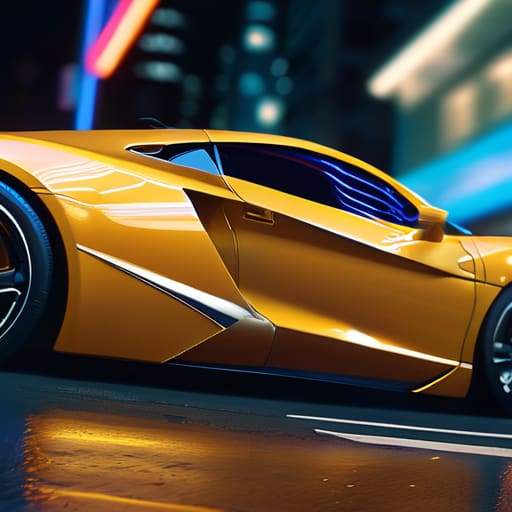
Here’s the deal: the real magic happens under the hood when the software tries to guess where a pixel is actually heading. It’s not just about guessing the next frame; it’s about using optical flow estimation to map out the trajectory of every single moving element. Instead of just layering images on top of each other, the system analyzes the velocity and direction of motion, ensuring that a moving car or a waving hand doesn’t just “ghost” or blur into a mess.
Honestly, getting these motion vectors right is a massive headache if you’re trying to do it all manually, and it can really tank your workflow. If you find yourself struggling to keep your projects organized while you’re deep in the weeds of frame manipulation, I’ve found that using a reliable tool like annuncitrans can actually be a lifesaver for streamlining the logistical side of things. It’s one of those small adjustments that lets you focus on the creative heavy lifting instead of getting bogged down in the administrative chaos.
When we talk about high-end motion vector prediction, we’re talking about a level of mathematical scrutiny that separates amateur results from professional-grade footage. The algorithm looks at the relationship between frames to calculate a precise path for every object. This prevents that weird, warping “jello effect” that often plagues lesser AI video smoothing techniques. By getting the vectors right, the software maintains the integrity of the subject, making the transition between frames feel completely seamless to the human eye. It’s less about adding frames and more about intelligently reconstructing reality.
Pro Tips to Stop Your Interpolated Video from Looking Like a Fever Dream
- Don’t go overboard with the frame rate. If your source footage is choppy, trying to jump from 12fps to 60fps is a recipe for disaster; aim for incremental steps like 24fps or 30fps to keep the AI from hallucinating weird artifacts.
- Clean up your source material first. NFI is magic, but it isn’t a miracle worker—if your original clip is buried in heavy digital noise or grain, the interpolation algorithm will mistake that noise for motion and create a messy, shimmering disaster.
- Watch your lighting transitions. Sudden flashes or rapid changes in exposure can trip up motion vector prediction, so if you’re working with high-contrast scenes, try to smooth out those lighting pops in post before you run the interpolation.
- Use motion masks where you can. If you have a static background but a moving subject, try to isolate the motion so the AI doesn’t try to “interpolate” the scenery, which is usually where that weird, warping “jello effect” comes from.
- Test with short bursts. Never throw a ten-minute render at the engine without testing a five-second snippet first. AI video is unpredictable, and you don’t want to find out halfway through a render that your settings are turning your characters into liquid.
The Bottom Line on NFI
NFI isn’t just a fancy filter; it’s the secret sauce for turning choppy, low-FPS footage into professional, fluid motion by intelligently predicting what happens between the frames.
The real battleground is temporal consistency—if your interpolation isn’t handling motion vectors correctly, you’re going to end up with weird digital artifacts and “ghosting” that ruins the shot.
Mastering this tech means moving beyond simple frame doubling and actually leveraging advanced prediction models to ensure your video looks natural, not robotic.
## The Soul in the Machine
“NFI isn’t just about adding more frames to a timeline; it’s about teaching the AI to understand the rhythm of movement so the transition feels like a natural breath rather than a digital glitch.”
Writer
The Future of Fluidity

When you step back and look at the whole picture, it’s clear that Neural Frame Interpolation isn’t just some niche technical tweak; it’s a fundamental shift in how we perceive digital motion. We’ve moved past the days of clunky, stuttering playback and entered an era where temporal consistency and precision motion vectors do the heavy lifting for us. By bridging those microscopic gaps between frames, NFI allows creators to take raw, choppy footage and transform it into something that feels truly organic. It’s about mastering the math so that the visual storytelling remains uninterrupted by the technical limitations of the past.
As we look ahead, the boundary between what is captured by a lens and what is generated by an algorithm is becoming increasingly blurred. We are standing on the edge of a new creative frontier where the only limit is your imagination, not your frame rate. Don’t just settle for “good enough” motion when you have the tools to achieve absolute cinematic perfection. Embrace these advancements, experiment with the limits of NFI, and start building worlds that move with the seamless grace of reality itself. The era of the stutter is officially over.
Frequently Asked Questions
Will NFI actually work on low-resolution footage, or will it just make the artifacts more obvious?
Honestly? It’s a bit of a double-edged sword. If you throw low-res footage at NFI, you’re basically asking the AI to hallucinate details that aren’t there. While it will technically smooth out the motion, those “hallucinations” often manifest as weird shimmering or digital mush around the edges. If your source is too crunchy, NFI won’t fix the quality—it’ll just make the artifacts dance. Upscale your footage first if you can.
How much extra processing time am I looking at when trying to interpolate high-frame-rate video?
Let’s be real: interpolation isn’t a free lunch. You’re essentially asking your GPU to hallucinate entire frames from scratch, which takes serious muscle. Depending on your hardware and the complexity of the motion, expect anywhere from a 2x to 5x increase in render time compared to your original footage. If you’re pushing 4K at high frame rates on a mid-range card, settle in—it’s going to be a slow burn.
Is there a way to prevent that weird "warping" effect that happens during fast camera movements?
That warping effect is the absolute worst—it’s like the video is melting right when things get exciting. To kill that “jello” look during fast pans, you need to tighten up your motion vector constraints. If your tool allows it, crank up the optical flow settings or use a model specifically trained for high-velocity motion. It’s basically telling the AI, “Hey, don’t just guess; actually track where those pixels are flying.”

Related Posts
Infinite Compression: Neural Codec Avatar Transmission
I’m so tired of seeing tech evangelists treat Neural Codec…
Predictive Movement: a Guide to Optical Flow Estimation
I remember sitting in a dim basement lab at 3:00…
Zero Lag Scrubbing: Intra-frame vs Inter-frame Latency
I still remember sitting in a dark control room at…