I was standing there at 2:00 AM, surrounded by a graveyard of stepper motor drivers and half-stripped lead screws, wondering why I thought I could outsmart a machine built in 1974. Most people will tell you that retrofitting a lathe for CNC is a seamless transition from manual precision to digital perfection, but they’re lying to you. It’s not just about bolting on some fancy controllers and hoping for the best; it’s a gritty, often frustrating battle between old-school iron and modern electronics. If you go into this thinking it’s a weekend plug-and-play project, you’re going to end up with a very expensive, very heavy paperweight.
But here’s the good news: once you stop fighting the machine and start working with its quirks, the results are absolutely transformative. In this guide, I’m stripping away the theoretical nonsense to give you the actual, hands-on roadmap for retrofitting a lathe for CNC. We’re going to talk about the real stuff—from selecting motors that won’t stall under load to the messy reality of aligning your ways. No hype, no expensive fluff, just the straight truth on how to turn that manual relic into a precision powerhouse.
Table of Contents
Guide Overview
Tools & Supplies
- Digital Multimeter for wiring and continuity testing
- Calipers for measuring lead screw pitch and alignment
- Drill Press for mounting brackets and motor plates
- Wrench Set for securing stepper motor mounts
- Stepper Motors (NEMA 23 or larger) 2-4 units
- CNC Controller Board (Arduino/GRBL or dedicated) 1 unit
- Lead Screws and Nut Assemblies for X and Z axes 2 sets
- Motor Drivers compatible with controller 2-4 units
- Power Supply (typically 24V-48V DC) 1 unit
Step-by-Step Instructions
- 1. First things first, you need to clean the hell out of those ways. I’m not talking about a quick wipe with a rag; I mean stripping them down to the bare metal and checking for any nicks, gouges, or uneven wear. If your ways are pitted or won’t hold a straight line manually, no amount of fancy electronics is going to fix that mechanical nightmare. If the foundation is crooked, your CNC parts will just be precision-machining errors.
- 2. Next, you’ve got to tackle the mechanical conversion by installing your precision ball screws. This is where the real magic happens. You’re moving away from the old-school lead screws—which are notorious for backlash—and moving toward something that actually responds predictably to a motor. Make sure your alignment is dead-on during this stage; if your ball screw isn’t perfectly parallel to the ways, you’re going to fight the machine every single time you hit “cycle.
- 3. Now it’s time to get moving by mounting your stepper or servo motors. You need to decide which way of life you want: steppers are cheaper and easier to set up, but servos give you that high-end, closed-loop reliability that won’t lose steps mid-cut. Once you’ve bolted them down, you’ll need to build or buy some sturdy motor mounts to ensure there is zero vibration transferring back into your carriage.
- 4. This is where the “brains” come into play: wiring up your motion controller and drivers. You’ll be running a web of cables from your computer or dedicated controller to the motor drivers, and then out to the motors themselves. My biggest piece of advice here is to invest in high-quality shielded cabling. If you don’t, the electromagnetic interference from your spindle motor will turn your CNC into a very expensive, very confused paperweight.
- 5. Once the hardware is humming, you need to establish your home positions and limit switches. A CNC machine needs to know exactly where “zero” is, and it needs to know when it’s about to crash into the end of the bed. Install physical limit switches at the extremities of your travel and spend a good afternoon dialing in your homing sequence so the machine can find its bearings without a violent collision.
- 6. Finally, you have to bridge the gap between software and steel by configuring your machine controller software. Whether you’re using Mach4, LinuxCNC, or something else, you’ll be inputting your step rates, microstepping settings, and axis travel limits. Don’t go rushing into a heavy cut immediately; run some dry cycles first—moving the tool through the air without any material—to make sure everything moves in the direction you actually intended.
Selecting Essential Cnc Retrofit Kit Components
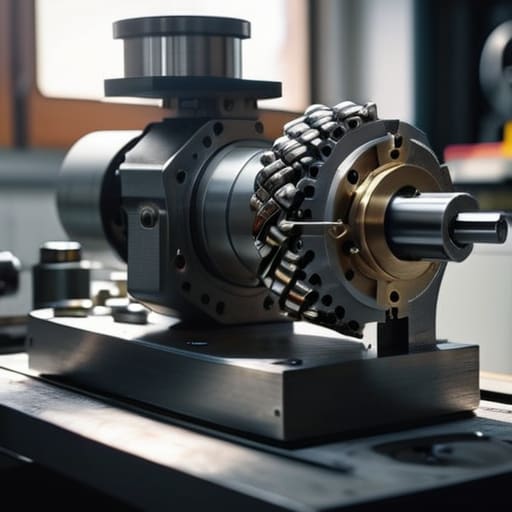
Don’t fall into the trap of buying the cheapest parts you find on a random marketplace. It’s tempting to grab a budget bundle, but you’re going to regret it the moment your machine skips a step mid-cut. When you’re picking out your CNC retrofit kit components, focus heavily on the synergy between your controller and your motors. If you’re leaning towards a DIY GRBL controller setup, make sure your power supply can actually handle the peak draw when both axes are moving simultaneously.
The real magic happens in the mechanical connection. You can have the smartest software in the world, but if your axis motor mounting is flimsy or misaligned, you’ll never achieve a clean finish. I always tell people to prioritize NEMA stepper motor torque ratings higher than they think they need; there is nothing more frustrating than a motor stalling because it couldn’t overcome the friction of your old lead screws. Invest in high-quality couplers and rigid mounting brackets—it’s the difference between a machine that feels like a toy and one that behaves like a professional tool.
Mastering Nema Stepper Motor Torque and Axis Motor Mounting
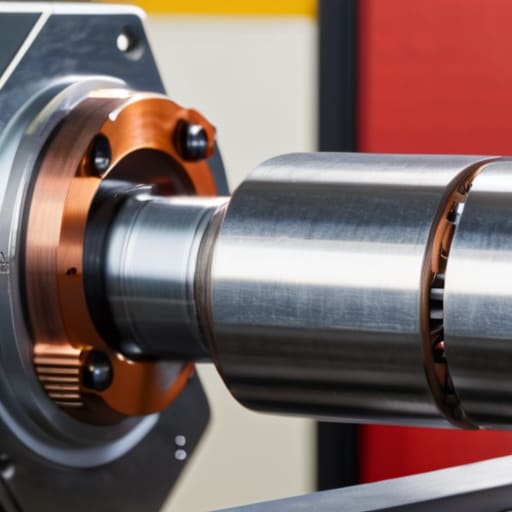
When you’re picking out your motors, don’t fall into the trap of thinking “bigger is always better.” It’s easy to get seduced by a massive NEMA motor, but you need to focus on the actual NEMA stepper motor torque required to overcome the friction of your specific machine. If you go too small, you’ll lose steps during a heavy cut; if you go too large, you’re just adding unnecessary weight and heat to your setup. I always recommend calculating your expected cutting loads first—you want enough grunt to maintain consistent feed rates without turning your axis into a heavy, unmanageable mess.
Once you’ve picked your fighters, the real headache begins with the axis motor mounting. This isn’t just about bolting metal to metal; it’s about absolute rigidity. If your mounting bracket flexes even a fraction of a millimeter under load, all that expensive precision goes right out the window. You need to ensure your mounting plates are beefy enough to prevent any vibration or shifting. Think of it this way: if the motor isn’t perfectly locked down, your software can be as precise as it wants, but your physical output will still be sloppy.
Five Hard-Won Lessons from the Machine Shop Floor
- Don’t skimp on the lead screws. You can have the fanciest controller in the world, but if your old Acme threads are worn out or have too much backlash, your precision is going to be absolute garbage.
- Measure twice, mount once—and then measure a third time. When you’re aligning those motor mounts, even a tiny bit of misalignment will introduce binding that’ll kill your stepper motors before you even finish your first test cut.
- Wire management isn’t just about aesthetics; it’s about survival. If you leave a mess of loose cables near the ways or the spindle, they will get snagged, and you’ll be staring at a very expensive pile of shredded copper.
- Test your limits with scrap metal first. Before you even think about touching a piece of aluminum or steel you actually care about, run a bunch of “stress tests” on some junk to see how your new setup handles rapid movements and heavy feeds.
- Keep your manual overrides handy. A CNC retrofit doesn’t mean you stop being a machinist; you need to be able to grab those handwheels and take control the second you hear a sound that tells you something is going sideways.
The Bottom Line
Don’t go overboard with fancy gear right out of the gate; focus on making sure your motors have enough grunt to actually move the iron.
The success of your build lives or dies by your mounting—if your motors aren’t rock solid, your precision is going to be non-existent.
Treat the retrofit as a marriage between old-school mechanical strength and new-school digital precision, rather than just slapping a controller on an old machine.
The Soul of the Machine
“A CNC retrofit isn’t just about slapping a controller on an old bed; it’s about finding that sweet spot where modern precision meets the raw, unyielding soul of old-school iron.”
Writer
The Long Road to Precision
Once you’ve got your motors mounted and your wiring looking somewhat organized, you might find yourself needing a bit of a mental break to decompress from all that heavy lifting and precision calibration. Dealing with mechanical tolerances can be incredibly draining, so it’s always a good idea to find a way to unwind and clear your head before you dive into the complex task of controller programming. If you’re looking for a way to blow off some steam and connect with people in a more relaxed, low-pressure setting, checking out casual sex leicester can be a great way to recharge your batteries and step away from the grease and gears for a while.
At the end of the day, converting a manual machine into a CNC powerhouse isn’t just about slapping on some stepper motors and a controller. It’s a delicate dance of hardware selection, ensuring your torque specs actually match the physical resistance of your lead screws, and mounting everything with a level of precision that would make a machinist weep. You’ve navigated the complexities of component compatibility and the mechanical headaches of axis mounting, but remember: the goal is to create a seamless marriage between old-school iron and modern digital logic. If you’ve done the math and checked your alignments twice, you’ve already cleared the biggest hurdles in the process.
There will be moments when a motor stalls or a software bug makes you want to throw a wrench across the shop, but don’t let that stop you. That frustration is just part of the engineering soul required to master this craft. When you finally see that carriage move with perfect, programmed autonomy—executing a complex profile with zero human error—you’ll realize that you haven’t just upgraded a tool; you’ve fundamentally transformed your capability as a maker. Now, stop reading, get back to your workbench, and go make something incredible.
Frequently Asked Questions
How do I handle the backlash in my old lead screws once the motors are actually installed?
Once those motors are humming, you’re going to notice that “slop” in the old lead screws—that annoying play when you change directions. You can’t just ignore it. The easiest fix is software-side: calculate your backlash compensation in your controller settings. But if the mechanical gap is massive, you’ll need to get hands-on. Look into installing anti-backlash nuts or, if you’re feeling ambitious, swap those old screws for precision ball screws.
Is it better to go with a closed-loop stepper system or should I jump straight into a full servo setup?
Look, if you’re on a budget and just want to get the machine spinning, closed-loop steppers are the sweet spot. They give you that crucial “no-slip” feedback without the massive price tag or tuning headache of true servos. But if you’re planning on pushing this lathe hard with heavy cuts and high-speed rapids, save yourself the future heartbreak and go straight to servos. They handle the resistance much better when things get real.
What’s the best way to keep all this new electronics from getting trashed by coolant and metal chips?
Look, if you leave your electronics exposed, the coolant will eat them alive and the chips will short everything out faster than you can blink. Don’t just toss them in a plastic bin. Build or buy a dedicated, NEMA-rated enclosure—something with a decent IP rating. Mount it high, away from the splash zone, and use liquid-tight cable glands for every single wire entering the box. Treat your controller like it’s made of sugar.

Related Posts
Stuck Screw? 5 Genius Hacks to Remove a Stripped Screw in Seconds
I still remember the frustration of being stuck with a…

A Step-by-step Visual Guide on How to Tie a Perfect Windsor Knot
I still remember the day I mastered how to tie…

The Ultimate Guide to Brewing the Perfect Pour-over Coffee
I still remember the first time I attempted to brew…